How I’m Adapting My Data Engineering Workflow in an AI-First World


I’ve been back at work for three weeks after seven-and-a-half months of maternity leave, and it genuinely feels like I've returned to a completely different industry.
The fundamentals haven't changed: data pipelines still break in unexpected ways, and tech debt still needs managing. But how we build software has evolved. AI is no longer an experiment. It’s embedded in how we read code, review changes, and ship work. The question isn’t whether to use it — it’s how to evolve alongside it. What’s helped me most is being deliberate about where AI fits in my workflow.
My Main Tools: Claude Code 🤝 Cursor
Over the past couple of weeks, I’ve been levelling up on two tools: Claude Code (a terminal-based CLI) and Cursor (an AI-powered IDE). They’re often framed as competitors, and on my team people tend to prefer one over the other. In my own work, though, I’ve found them to be less mutually exclusive and more complementary.
They overlap in obvious ways, but I find that they push you into very different modes of working. I think of them as operating at different "layers" of my workflow.
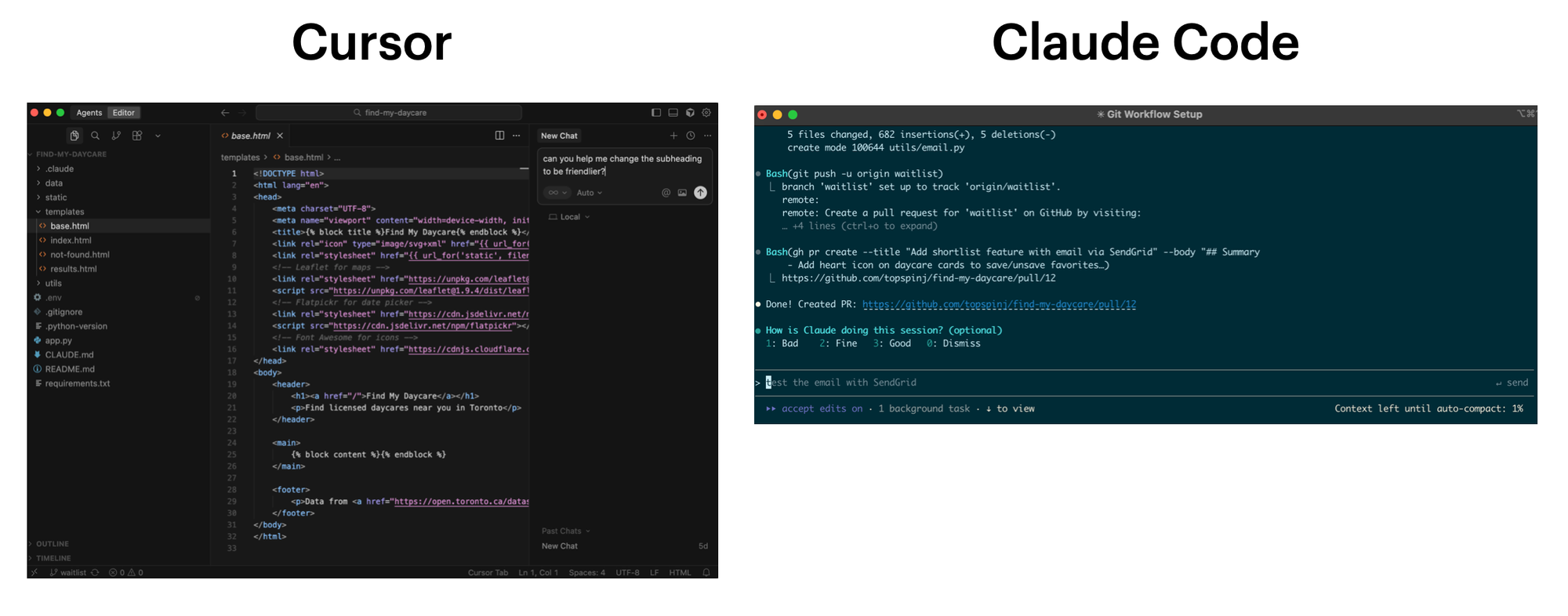
Cursor lives close to the code. It's basically VS Code with AI layered on top. I find it works best when I’m already in "execution" mode. For example: updating a query, extending existing logic, doing small refactors, or renaming things. Its autocomplete keeps me fast and in flow when the problem is well-scoped and I just want to crank out code.
Claude Code, on the other hand, lives one level up in the terminal. I've been using it to delegate a more complex tasks to AI agents. I also like to use it when I want to explore the codebase, form a plan, and propose an approach – not just help me type.
Context Gathering
After being offline for several months, my biggest priority is re-orienting myself. The codebase has evolved, new patterns have emerged, and some decisions only make sense with historical context. Before I write a single line of code, I need to understand what’s changed, what’s stable, and why things look the way they do.
To get up to speed on everything that I've missed, I've been using Claude Code as my default starting point. Instead of manually poking around directories or skimming commit logs, I can ask high-level questions directly from the terminal:
- What are the most recent features shipped since April 2025?
- Which files and directories are most important to understand first?
- How is the code organized, and what conventions does it follow?
- Are there any non-standard patterns or decisions I should be aware of?
Because Claude Code can reference the code, schemas, and git history, I (mostly) trust the answers since they reflect what’s actually happening in the codebase.
I use the same approach to understand existing data models. I’ll ask it to walk me through how tables relate to each other, where data originates, and how those models are used downstream. What would normally take hours of manual inspection is compressed into a much shorter feedback loop.
In some cases, I’ll extend this beyond code. Recently, I used the Slack MCP to summarize six months of project-related Slack conversations — decisions, tradeoffs, and assumptions that never quite make it into documentation. It saved me hours and clarified gaps the code couldn’t explain on its own.
Agentic AI doesn’t replace reading code or inspecting data directly. But I find it really does shorten the path to knowing where to look and what to prioritize.
Creating an Implementation Plan
These days, I’ve been spending time learning how to work more effectively with AI agents—through courses like Tactical Agentic Coding, pair programming, and a lot of hands-on experimentation. One thing has become very clear: even with the best AI agents, you don’t want to jump straight to a zero-shot prompt like “build this for me”. A clear, well-scoped implementation plan is far more important than moving fast.
Most AI tools have a “plan” mode, where the agent proposes a sequence of steps and assumptions before touching the code. When an agent can make real changes to a codebase, planning avoids costly mistakes. Think of it like an architect creating blueprints before construction – it's much easier to course-correct on paper than to tear down and rebuild after the work is done.
Planning also helps handle complexity. For work that spans multiple data models, APIs, and downstream consumers, plan mode surfaces dependencies, ordering constraints, and edge cases early. This is where I’ll step back and ask architectural questions like:
- Which parts of the system are most likely to break?
- What should be validated early, before too much code exists?
- Where do I need guardrails or instrumentation?
There’s an efficiency benefit too. A solid implementation plan reduces false starts and back-and-forth prompting. It also allows AI agents to execute more autonomously once implementation begins.
Once the approach feels right, I’ll package the plan into a markdown file—usually something like implementation_plan.md. This file lives alongside the code and becomes a working artifact that I can iterate on: adding notes, refining steps, or adjusting scope as I learn more. It also creates a natural collaboration point, giving me a chance to review the direction, suggest adjustments, and align on the solution before moving into implementation.
By the time I start writing code, I’m no longer exploring the problem space. I’m executing against a plan that’s already been thought through.
Executing a Plan
In an ideal world, I want to have very little involvement during the execution phase.
Once I’m happy with an implementation plan, I’ll hand it off to an AI agent to execute. Because the intent and constraints are explicit, the agent can work more autonomously and with fewer surprises. I review the output the same way I would a teammate’s PR, and if something feels off, I update the plan and re-run the step rather than patching things piecemeal.
For smaller, localized changes (e.g., renames, quick edits, or tweaks to a single file), I like to use Cursor's autocomplete. It’s faster and lower-friction when I already know exactly what I want to change.
In practice, I've been moving between the two. Agents handle plan-driven execution, while autocomplete supports fine-grained edits. The tools matter, but the distinction is really about where thinking happens.
Final Thoughts...
The biggest shift in my workflow hasn’t been about speed or delegation. It’s been about relocating cognitive effort upstream.
I’ve started treating context-gathering and planning as first-class work, and execution as something that can often be delegated or accelerated. This doesn’t mean execution is trivial — it means the highest-leverage decisions tend to happen before the first line of code is written.
This shift has made me become more aware of where my energy is best spent. I have less patience for thrash and unnecessary complexity, and I’m more intentional about protecting my focus for the parts of work that actually require judgment. Working this way feels like an evolution of the role itself: moving up a layer, designing work more deliberately, and using AI agents to scale execution rather than outsource decisions.
I’m still getting used to this way of working, but so far, I’m enjoying it and I’m excited to continue learning.

Until next time,
✌️